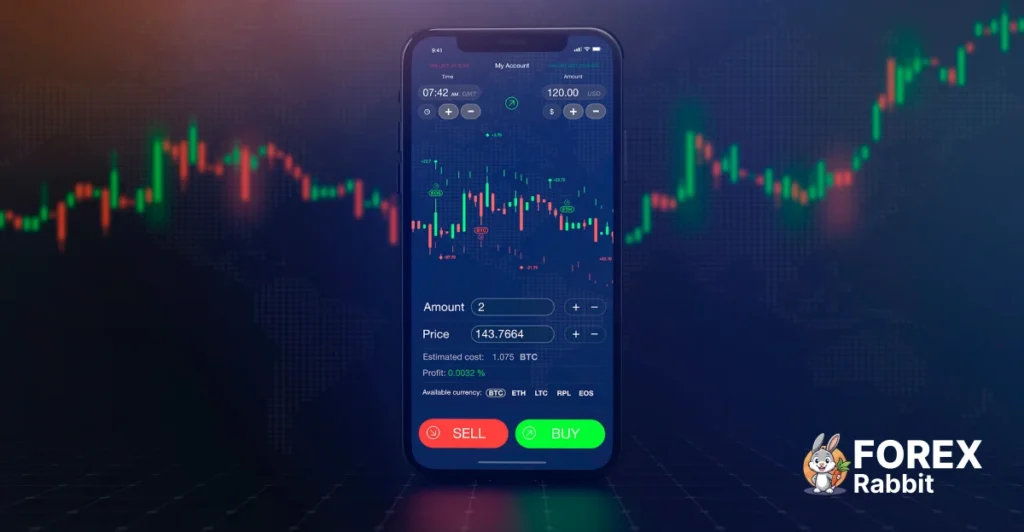
Mobile forex trading has transformed how traders interact with the markets. With powerful smartphones and advanced trading apps, traders can now analyze charts, place trades, and manage risk from anywhere in the world. Whether you use MT4, MT5, indicators, or Expert Advisors, mobile trading offers flexibility—but it also comes with limitations that traders must understand.
In this guide, we’ll explore mobile forex trading vs desktop, the best mobile trading apps, essential security practices, and smart strategies for trading on the go—all optimized for modern MT4 and MT5 traders.
Mobile Forex Trading vs Desktop Trading
Key Differences in Usability
Desktop trading platforms provide larger screens, advanced charting tools, and full support for custom indicators and Expert Advisors. Mobile trading apps, on the other hand, focus on speed, convenience, and accessibility.
On mobile:
Charts are simplified
Fewer indicators can be displayed
Execution is fast but analysis is limited
On desktop:
Advanced multi-chart analysis
Full EA and indicator control
Better backtesting and optimization
Pros and Cons of Mobile Trading
Advantages of Mobile Forex Trading
Trade from anywhere
Instant push notifications
Quick order execution
Ideal for trade monitoring
Limitations
Smaller screen size
Limited indicator customization
Not ideal for complex strategies
Higher risk of emotional trading
When Mobile Trading Makes the Most Sense
Mobile trading works best when used as:
A trade management tool
A monitoring platform
A backup to desktop trading
A solution for busy traders and travelers
Many professional traders use desktop platforms for analysis and mobile apps for execution and management.
Best Mobile Forex Trading Platforms
MetaTrader 4 (MT4) Mobile App
MT4 remains one of the most popular forex trading platforms worldwide. Its mobile app is lightweight, fast, and supported by nearly every forex broker.
Key MT4 Mobile Features
30+ built-in indicators
Multiple chart types
One-click trading
Price alerts and notifications
Secure login
MT4 mobile is best suited for manual trading, signal confirmation, and trade monitoring.
MetaTrader 5 (MT5) Mobile App
MT5 mobile offers more features than MT4 and supports additional asset classes such as stocks and commodities.
MT5 Mobile Advantages
More indicators and timeframes
Economic calendar integration
Improved order types
Faster execution engine
MT5 mobile is ideal for traders who want more analytical depth while trading on mobile.
Broker-Native Mobile Apps vs MetaTrader
Some brokers offer custom-built trading apps. While these apps may look modern, they often lack flexibility and advanced charting.
Why MetaTrader Apps Are Better
Platform independence
Community support
Indicator compatibility
Familiar interface
For most ForexRabbit users, MT4 or MT5 mobile apps are the best choice.
Mobile Forex App Features Comparison
Charting Tools and Indicators
Mobile apps support essential indicators like:
Moving Averages
RSI
MACD
Bollinger Bands
However, custom MT4/MT5 indicators generally require desktop platforms for setup and analysis.
Order Execution Speed
Mobile trading apps offer:
Instant execution
Market and pending orders
Stop loss and take profit controls
Execution speed is usually reliable, provided you have a stable internet connection.
Alerts, Notifications, and Trade Management
Push notifications are one of the strongest advantages of mobile trading. Traders can receive:
Price alerts
Trade execution updates
Margin level warnings
News alerts
This makes mobile trading excellent for risk management and timing entries.
EA and Indicator Limitations on Mobile
Expert Advisors (EAs) do not run directly on mobile apps. However, you can:
Run EAs on desktop or VPS
Monitor EA trades on mobile
Close or adjust positions remotely
Mobile Trading Strategy Considerations
Scalping vs Swing Trading on Mobile
Scalping on Mobile
High risk
Requires fast reactions
Not recommended for beginners
Swing Trading on Mobile
More suitable
Less screen time required
Better for mobile alerts and confirmations
Swing trading is generally the best mobile-friendly strategy.
Timeframe Selection for Small Screens
Recommended timeframes for mobile trading:
H1
H4
Daily
Lower timeframes can be overwhelming on small screens and increase emotional decisions.
Risk Management While Trading on the Go
Mobile traders should:
Reduce lot sizes
Use fixed stop losses
Avoid overtrading
Pre-plan trades on desktop
Risk management becomes even more critical when trading away from a full setup.
Security Best Practices for Mobile Forex Trading
App Permissions and Device Security
Always:
Download apps from official stores
Keep your OS updated
Avoid unnecessary app permissions
Lock your phone with biometrics or PIN
Two-Factor Authentication (2FA)
Enable 2FA on:
Trading accounts
Broker dashboards
Email accounts linked to trading
This significantly reduces hacking risks.
Public Wi-Fi Risks
Avoid trading on public Wi-Fi networks. If necessary:
Use a VPN
Avoid logging into broker accounts
Never store passwords in browsers
Trading on the Go: Practical Tips
One-Click Trading Setup
Configure:
Default lot size
Pre-set stop loss and take profit
One-tap execution
This reduces mistakes during fast market conditions.
Avoiding Emotional Trading on Mobile
Mobile trading encourages impulsive behavior. To stay disciplined:
Trade only planned setups
Use alerts instead of constant chart watching
Set daily trade limits
Battery, Connectivity, and Backup Planning
Always ensure:
Sufficient battery life
Stable internet connection
Backup device or desktop access
A missed connection can mean missed opportunities—or losses.
How to Optimize MT4 & MT5 for Mobile Trading
Indicator Presets
Use desktop platforms to:
Set indicator parameters
Save chart templates
Sync accounts with mobile apps
This allows cleaner charts on mobile.
Clean Chart Layouts
On mobile:
Use fewer indicators
Focus on price action
Remove unnecessary objects
Simplicity improves decision-making.
Syncing Mobile and Desktop
Log into the same trading account across devices to:
Track open trades
Monitor EA performance
Adjust positions remotely
Notification & Alert Setup for Mobile Traders
Price Alerts
Set alerts for:
Key support and resistance levels
Breakout zones
Entry confirmations
Indicator Alerts
Many indicators allow alert notifications via desktop platforms that can be monitored on mobile.
Economic News Notifications
Use:
Broker alerts
Economic calendar apps
MT5 built-in calendar
Avoid trading blindly during high-impact news events.
Is Mobile Forex Trading Right for You?
Best Trader Profiles for Mobile Trading
Mobile forex trading suits:
Part-time traders
Swing traders
Traders using alerts
EA users monitoring trades
Combining Desktop and Mobile Workflow
The most effective approach is a hybrid setup:
Desktop → analysis & planning
Mobile → execution & management
This combination delivers both precision and flexibility.
Final Thoughts
Mobile forex trading is no longer a backup option—it’s a powerful tool when used correctly. By choosing reliable apps like MT4 or MT5, applying smart risk management, and using mobile trading for what it does best, traders can stay connected to the market anytime, anywhere.
For best results, combine mobile convenience with desktop precision—and always trade with discipline.
🔗 Continue Learning on ForexRabbit
Explore our:
Frequently Asked Questions (FAQ)
Is mobile forex trading safe?
Yes, mobile forex trading is safe when you use trusted trading platforms such as MetaTrader 4 (MT4) or MetaTrader 5 (MT5) and follow proper security practices. Always enable two-factor authentication, avoid public Wi-Fi networks, keep your device updated, and trade only through regulated brokers.
What is the best forex trading app for mobile?
The most popular and reliable forex trading apps are MT4 mobile and MT5 mobile. They offer fast execution, built-in indicators, price alerts, and compatibility with most forex brokers. Beginners often prefer MT4 for its simplicity, while advanced traders may choose MT5 for additional tools and market depth.
Can I use custom indicators on MT4 or MT5 mobile?
Custom indicators cannot run directly on mobile apps. However, you can install and analyze custom indicators on the desktop version of MT4 or MT5 and then use the mobile app to monitor trades, manage positions, and receive alerts linked to the same trading account.
Is mobile forex trading good for scalping?
Mobile forex trading is not ideal for scalping due to screen size limitations and the need for extremely fast reactions. Scalping strategies work best on desktop platforms or VPS environments. Mobile trading is better suited for swing trading, trade management, and monitoring open positions.
How do I set alerts for forex trades on mobile?
You can set alerts directly inside MT4 or MT5 mobile apps by long-pressing on price levels or using the alerts section. Traders can also receive push notifications for price movements, order execution, and margin levels, making mobile trading effective for staying informed without constantly watching charts.
Can Expert Advisors (EAs) work with mobile forex trading?
Expert Advisors do not run on mobile apps. However, you can run EAs on a desktop platform or VPS and use the mobile app to monitor EA performance, close trades, or adjust stop loss and take profit levels in real time.
Is mobile forex trading suitable for beginners?
Yes, mobile forex trading can be suitable for beginners when used correctly. Beginners should focus on higher timeframes, simple indicators, demo accounts, and strong risk management, while using mobile apps primarily for learning, monitoring, and managing trades.
Should I trade forex only on mobile or combine it with desktop trading?
The best approach is to combine desktop and mobile trading. Use a desktop platform for detailed analysis, indicators, and strategy planning, and use mobile apps for trade execution, alerts, and monitoring while on the go.